Author: shubham

  • How to Choose the Right AWS Certified Partner: A Guide for Business Leaders

    How to Choose the Right AWS Certified Partner: A Guide for Business Leaders

    Why Do AWS Certified Partners Matter?

    Why Do AWS Certified Partners Matter

    Choosing an AWS Certified Partner ensures that your cloud adoption journey is guided by validated expertise. Certification serves as proof that a partner has met stringent AWS requirements, ensuring technical competence, security awareness, and best practices.

    Partnering with certified vendors provides measurable business value. Companies can achieve faster cloud adoption, enhanced security, and compliance alignment, which are often missing when working with general IT vendors. Unlike general IT providers, certified partners bring a proven track record in AWS cloud adoption and driving digital transformation with AWS, making them a strategic choice for business leaders.

    Key Criteria to Evaluate an AWS Partner

    Key Criteria to Evaluate an AWS Partner

    When selecting an AWS partner, consider the following factors:

    • Certification Levels: AWS partners are categorized as Advanced or Premier. Higher certification levels indicate deeper expertise and access to more AWS resources.
    • Industry Expertise & Case Studies: Look for partners with experience in your industry. Proven success stories make a partner more reliable as an AWS Partner for Business Leaders.
    • Service Portfolio: Ensure they offer end-to-end services, including migration, managed services, and optimization strategies. A strong AWS managed services provider can simplify complex cloud initiatives.
    • Security, Compliance & Support: Verify their approach to security, regulatory compliance, and their support model to ensure smooth operations post-deployment.

    Common Mistakes Businesses Make When Choosing an AWS Partner

    Common Mistakes Businesses Make When Choosing an AWS Partner
    Even experienced organizations make errors when selecting a partner. Avoid these pitfalls:

    • Choosing solely based on price rather than expertise.
    • Ignoring certifications, which is why evaluating the AWS Partner Network is critical.
    • Overlooking compliance and security capabilities, missing out on AWS security & compliance solutions.
    • Neglecting post-deployment support, which can compromise long-term success.

    Questions to Ask Before Signing the Contract

    Questions to Ask Before Signing the Contract
    Before finalizing a partner, business leaders should ask:

    • Are the consultants certified by AWS?
    • Can they provide relevant industry case studies?
    • How do they approach cost optimization and scalability?
    • What is their post-deployment support model?
    • How do they manage data security and compliance?

    These questions ensure alignment with both operational needs and strategic goals.

    Future-Proofing Your AWS Partnership

    Future-Proofing Your AWS Partnership
    A strong AWS partnership is about more than immediate needs — it’s about preparing for the future:

    • Scalability for Growth: Ensure the partner can scale solutions as your business grows.
    • Readiness for Emerging Tech: Evaluate their ability to leverage AI, analytics, and automation, crucial for digital transformation with AWS.
    • Adaptability with AWS Updates: A partner must stay current with new AWS services to maintain a robust AWS cloud strategy.

    Conclusion

    Choosing the right AWS Certified Partner is a strategic decision that impacts cloud success, security, and business growth. By partnering with a qualified AWS Consulting Partner, business leaders can confidently accelerate cloud adoption while optimizing cost, scalability, and innovation. Align your partnership with long-term goals to ensure a successful, future-ready AWS journey.

    Frequently Asked Questions

    What is an AWS Certified Partner?

    An AWS Certified Partner is a company recognized by Amazon Web Services for its proven expertise in implementing, managing, and optimizing AWS solutions for businesses.

    . Why should I work with an AWS Certified Partner instead of a regular IT vendor?

    Certified partners have verified technical skills, access to exclusive AWS tools, and follow best practices to ensure security, efficiency, and faster cloud adoption.

    How do I verify if a company is an AWS Certified Partner?

    You can check a partner’s certification level through the AWS Partner Network (APN) portal, where only verified partners are listed.

    What factors should I consider when choosing an AWS Partner?

    Look for certification level, relevant industry experience, service portfolio, security practices, and customer success stories before making a decision.

    How can the right AWS Partner help my business grow?

    The right partner can optimize your AWS infrastructure, improve security and compliance, reduce costs, and accelerate innovation with scalable cloud solutions.

  • AI in Project Management: Tools, Trends, and Benefits

    AI in Project Management: Tools, Trends, and Benefits

    The Role of AI in Project Management


    Using AI in project management means leveraging data-driven algorithms, automation, and machine learning to streamline traditional project workflows.
    Instead of relying solely on manual planning, project managers now use AI to:

    •  Predict potential risks and delays
    •  Allocate resources more efficiently
    •  Monitor real-time project performance
    •  Generate actionable insights from large data sets

    AI eliminates repetitive tasks like progress reporting or status tracking — giving project managers more time to focus on strategy and innovation

    Top AI Project Management Tools

    The adoption of AI project management tools is rapidly increasing across industries. These tools help teams automate planning, enhance collaboration, and improve forecasting accuracy.

    Here are some popular examples:

    1. ClickUp AI

    ClickUp’s AI assistant helps generate project updates, create meeting summaries, and suggest task priorities. It boosts productivity by automating documentation and communication.

    2. Asana Intelligence

    Asana’s AI engine uses natural language processing to create smart task recommendations, predict due dates, and flag potential risks before they occur.

    3. Notion AI

    Notion integrates generative AI to summarize meeting notes, draft reports, and organize project information with minimal effort.

    4. Monday.com AI

    Monday’s Work OS platform provides data-driven insights into project progress, team workloads, and potential bottlenecks through predictive analytics.

    5. Wrike AI

    Wrike uses machine learning to assess project performance, detect schedule deviations, and recommend adjustments for on-time delivery.

    These AI project management tools demonstrate how AI is revolutionizing traditional workflows by combining automation with smart decision-making.

    Examples of AI in Project Management

    Let’s look at a few examples of AI in project management being used effectively:

    • Risk Prediction: AI models analyze project data to identify high-risk areas before they cause delays.
    • Resource Allocation: Machine learning helps allocate human and financial resources efficiently.
    • Automated Reporting: AI generates real-time performance reports, saving hours of manual effort.
    •  Time Tracking: Predictive AI estimates realistic timelines based on past performance metrics.
    • Decision Support: AI tools provide insights that assist managers in making data-driven decisions.

    These applications show that using AI in project management not only enhances operational efficiency but also improves project accuracy and transparency

    Key Benefits of AI in Project Management

    Integrating AI in project management offers significant advantages that go beyond automation:

    1. Enhanced Decision-Making

    AI analyzes historical and current data to forecast outcomes, allowing project managers to make proactive decisions rather than reactive fixes.

    2. Improved Accuracy

    AI tools minimize human errors by continuously monitoring performance metrics and sending real-time alerts.

    3. Increased Efficiency

    With repetitive tasks automated, teams can focus on creative problem-solving and innovation.

    4. Better Risk Management

    AI identifies potential risks early and suggests mitigation strategies, helping avoid project overruns.

    5. Optimized Resource Utilization

    Machine learning algorithms ensure that every resource — human or financial — is used to its fullest potential.

    Trends Shaping the Future of AI in Project Management


    As AI continues to evolve, several trends are redefining how organizations manage projects:

    • Integration of Generative AI : Generative AI is being used to draft project proposals, create reports, and summarize large datasets — reducing the manual workload.
    • Predictive Analytics: Advanced AI models are forecasting project outcomes, budgets, and team performance with higher precision.
    • AI-Driven Collaboration: Tools powered by natural language processing are improving team communication and collaboration across remote and hybrid teams.
    • Automated Workflows: AI bots handle repetitive tasks like scheduling and task assignments, ensuring seamless project continuity.
    • Continuous Learning Systems: AI learns from every completed project, improving its predictions and suggestions for future tasks

    Challenges and Considerations


    Despite its advantages, implementing AI in project management comes with challenges:

    • Data dependency: AI’s accuracy depends on clean, high-quality project data.
    • Cost and implementation time: Advanced AI tools can require significant investment.
    • Change management: Teams need training to adapt to AI-driven workflows.
    • Ethical and privacy concerns: Safeguarding sensitive project data is essential.

    To maximize success, organizations must ensure that AI complements human expertise rather than replacing it.

    The Future of Project Management with AI

    The future of AI in project management lies in human-AI collaboration. As AI and Generative AI technologies mature, project managers will increasingly rely on them for strategic planning, decision support, and execution monitoring.

    Imagine a scenario where AI not only predicts project risks but also automatically adjusts timelines, reallocates resources, and notifies stakeholders — that’s the intelligent project management of tomorrow.

    Conclusion

    Artificial Intelligence is redefining the essence of project delivery. By adopting AI project management tools and embracing generative AI, organizations can optimize performance, make smarter decisions, and achieve consistent success.

    The true power of AI in project management lies in balance — letting technology handle the data and automation while humans focus on creativity, leadership, and innovation.

    Frequently Asked Questions

    What is AI in project management?
    AI in project management leverages automation, predictive analytics, and machine learning to optimize planning, execution, and monitoring.
    What are some AI project management tools?
    Tools like Asana, ClickUp, Monday.com, Wrike, and Notion AI provide smart task recommendations and performance insights.
    How is AI used in project management?
    AI automates task scheduling, predicts risks, monitors progress, and offers actionable insights to improve project outcomes.
    What are the benefits of using AI in project management?
    It enhances decision-making, improves accuracy, reduces manual effort, manages risks, and optimizes resource allocation.
    Can AI improve team collaboration?
    Yes, AI facilitates better communication, automates updates, and ensures remote or hybrid teams remain aligned.

  • React vs. Angular – Which Framework Fits Your Project Best

    React vs. Angular – Which Framework Fits Your Project Best

    What is Angular?

    What is Angular
    Angular is a complete front end framework created by Google using TypeScript. It delivers tools for routing forms and HTTP client inside the framework itself so developers get ready features. Angular is designed best for enterprise level applications carrying multiple functions. Angular gives stability and strong community support because Google manages its long term updates and fixes.

    Companies that deal with heavy workloads and large scale solutions prefer Angular because it needs less dependency on extra libraries. For such businesses hiring experts who offer Angular JS development services brings more value. The experts save time fine tune the application performance and make sure that the product can handle growth easily without breaking structure in future.

    What is React?

    React is developed under Meta and is not a full framework but a JavaScript library built mainly for user interfaces. React is simple flexible and works light on the system. Developers like it because of its component based design and Virtual DOM that makes rendering faster. React applications look dynamic, fresh and highly interactive compared to traditional methods.

    Because React is easy to learn beginners and startups pick it more often. Many SaaS and e-commerce players build their apps with React due to its speed and smooth UI. Working with professional ReactJS development services improves outcome because they guide in best practices. They also make sure projects scale easily while maintaining long term code quality and upgrades.

    Angular vs. React: Key Differences

    Feature Angular React
    Type Full fledged framework UI library only
    Language TypeScript JavaScript with JSX
    Learning Curve More steep and complex Easier for beginners
    Data Binding Two way binding supported One way data flow
    Performance Stable but heavy in big apps Lightweight with fast render
    Best Use Case Enterprise and structured apps Startups, SaaS and flexible UIs

    Angular fits where product scale is huge and where organization needs structured backbone. React fits where speed, flexibility and faster delivery matter more.

    Which is Better for Your Project

    To decide between Angular and React you must check project decision points like team skills, timeline and budget. If you want ready tools and long term backed support choose Angular. It reduces search for third party libraries and gives everything in one framework. Angular makes sense more for banking insurance or government scale projects.

    If your project has tight deadlines you want flexibility or your plan is for SaaS product then React is more suitable. React gives freedom to select best matching libraries and makes user experience smooth. Startups and fast moving businesses rely on React as it helps them go live quickly without large overheads of learning heavy structure.

    React vs Angular Future: What’s Next

    React is expected to keep growing strongly inside startups e-commerce and SaaS markets because it stays light and developer friendly. The ecosystem grows daily with new packages that increase flexibility. Many modern companies trust React because of its speed in adopting changes and large developer base across the world.

    Angular will remain steady inside large enterprises where regulations structure and scalability matter most. Banks, government departments or manufacturing solutions lean towards Angular because it provides a strict framework with built in security features. Angular has predictable futures because Google stays committed for continuous updates and long term support cycles.

    Both of these technologies will continue side by side. There is no sign of one replacing the other since both solve different problems. Developers will adapt and organizations will decide based on their unique business challenges and development culture.

    Picking the Right Framework


    Angular vs React is less a matter of which is absolutely better and more about which suits your need. Angular is heavy and robust for enterprises. React is flexible and speedy for startups or modern interactive products. Choosing depends on your available team knowledge budget and the size of your solution.

    If you remain unsure then taking advice from professionals like MoreYeahs can be wise. We provide proper guidance to check your business goal and recommend the correct path to speed up your project success. Both frameworks are stable and trusted so whichever you select the outcome will last long. Right selection only ensures you do not over invest your limited resources.

    Frequently Asked Questions

    Which is easier to learn React or Angular?

    React is simple and beginner friendly because it focuses only on user interface. Angular takes more time because it is a complete framework with multiple rules and patterns.

    React vs Angular which is better for enterprise apps

    Angular usually suits enterprise apps best because it gives structured strong and safe solutions. React is more useful for startups fast launches and dynamic web applications.

    Will React replace Angular in future

    No React will not replace Angular because both have different areas. React dominates flexible UI work while Angular dominates enterprise level solutions. Both will stay active for long time.

    Which framework is better for SaaS development

    React is mostly chosen for SaaS because it allows faster interface management. It saves time and integrates well with other third party tools that SaaS companies need.

    Can React and Angular be used together

    In some special cases parts of React and Angular can be combined but normally companies pick one because maintaining both creates more technical difficulty.

  • Microsoft Dynamics Integration: An Unmatched Advantage for Your Sales Team

    Microsoft Dynamics Integration: An Unmatched Advantage for Your Sales Team

    What is Microsoft Dynamics 365 Integration

    What is Microsoft Dynamics 365 Integration

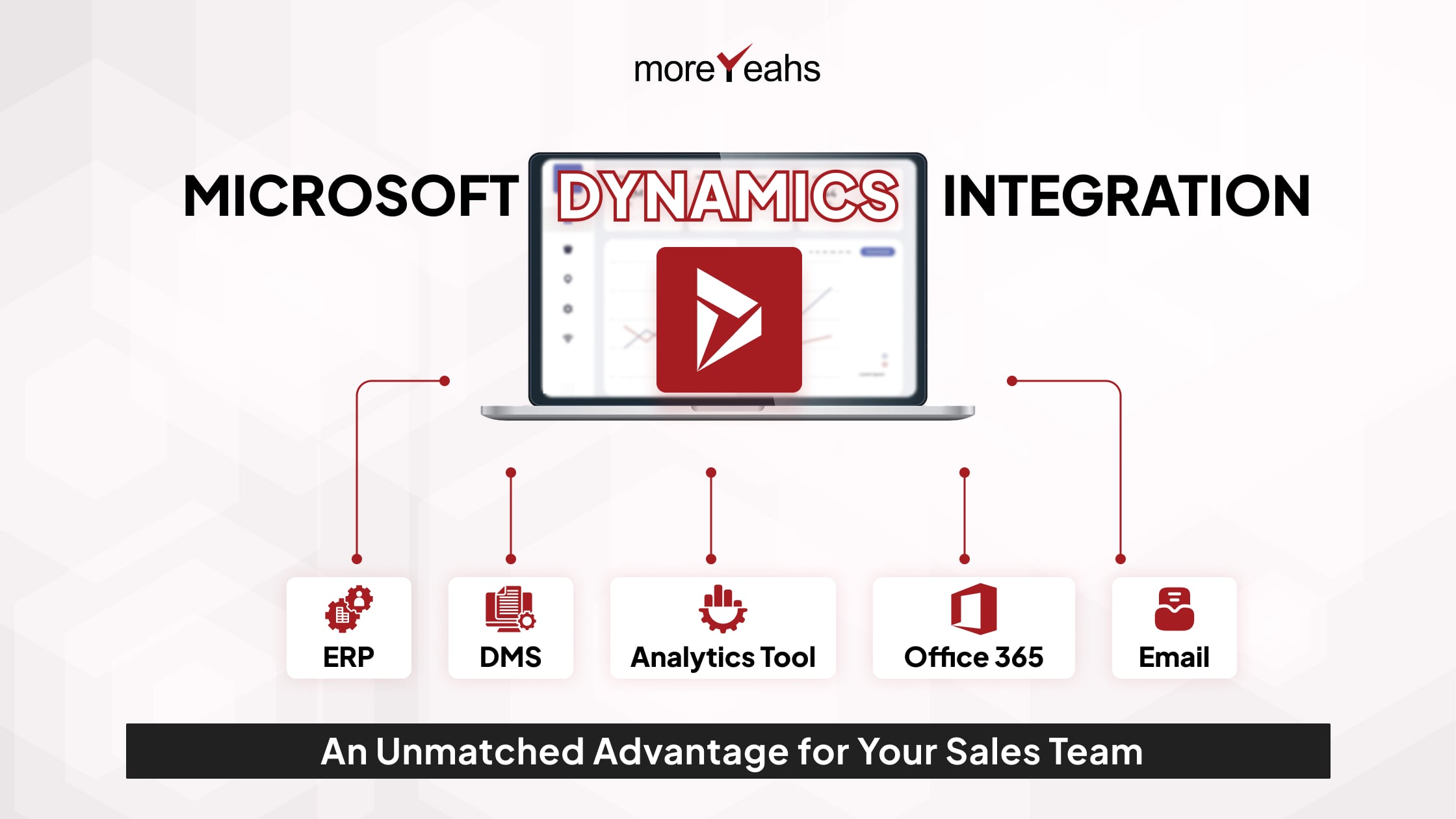
    Microsoft Dynamics integration is nothing but connecting Dynamics 365 with other common tools which sales people use daily in office. It links Outlook, Teams, LinkedIn Sales Navigator or even ERP into one single system. This reduces extra effort and avoids confusion. Integrations help sales teams to stay productive and also to serve customers without delay or mistake.

    When dynamics 365 integrations are working in correct way a company sees better performance because employees can manage all their emails tasks and records in one place. It saves time of switching between many apps. A good benefit is also transparency as everyone sees same data which avoids repeating work and also makes processes much simpler across teams.

    Key Benefits of Microsoft Dynamics Integration for Sales Teams

    Key Benefits of Microsoft Dynamics Integration for Sales Teams

    Centralized Customer Data

    By Microsoft Dynamics integration all customer details come in one single space. Sales person does not need to check hundreds of scattered files and emails to find information. This brings clarity and also saves energy. With one view of customer journey sales team can act smarter and never miss chance to convert lead into a valuable buyer.

    Enhanced Collaboration

    When Dynamics 365 gets connected with Teams and Outlook teamwork becomes more fine. Suppose one sales executive updates meeting notes then everyone else in team already receives same update instantly. No need for long mail chains which waste hours. This close link between departments like finance marketing and operations ensures sales has the strong support in every situation.

    Automation of Routine Tasks

    In sales field people waste energy on activities that do not directly bring revenue like logging calls or sending repetitive reminders to clients. Dynamics 365 integrations automate these jobs. That means less manual headache and more energy given to actual sales talking. Automation also increases accuracy which leads to more trust of customer and higher chances of deal success.

    Data-Driven Sales Strategy

    Microsoft Dynamics integration also allows advanced data reports. These reports show sales leaders what are the new buying patterns and which products are trending high. So company can quickly make strategies on price or marketing before competition reacts. In Indian market such clarity is important because customers change demand fast and only data can guide business at right time.

    Improved Customer Experience

    Every sales person knows that good experience makes a customer return again. When all customer touch points are connected through Dynamics 365 the interaction feels personalized. Customers get faster replies and their problems are solved quickly. They feel valued by the company. Slowly one time buyers become repeat customers which increases income and also builds strong image of brand.

    Real Examples of Dynamics 365 Integration in Sales

    Real Examples of Dynamics 365 Integration in Sales
    One simple example is linking Dynamics 365 with LinkedIn Sales Navigator. This helps sales people find correct leads in India or abroad. They can check profiles and insights before starting conversation with prospect which makes call or message more confident and relevant. Without such link sales teams waste energy on wrong contacts and low results.Another good example is Dynamics with Outlook. Sales executive can track mails and also create task reminders without leaving system. Calendar updates also happen automatically. This level of smooth integration saves minutes daily which becomes many hours every month. Such time can now be used for direct customer connect which matters more in achieving bigger deals.Another example is integration with ERP systems. This helps order-to-cash process work easy. Suppose one sales person closes a deal then finance team and supply chain team already sees the update in ERP. They move faster on billing and delivery. This avoids delay and builds trust with customer as promises are fulfilled on exact time given.

    Challenges in Microsoft Dynamics Integration

    Challenges in Microsoft Dynamics Integration
    Even though benefits are many still companies face few hurdles during Microsoft Dynamics integrations. One issue is moving old data from previous setups into new system. Many times employees are not ready because they feel system looks complex. Another concern is always budget as full integration needs careful planning and technical work by experts.

    To solve these points business can take support from trusted dynamics 365 development services. They handle migration carefully and also give user training step by step. A phased approach is better instead of full rollout at once. This builds comfort among staff and also avoids risk of errors during running operations.

    Future of Sales with Microsoft Dynamics Integration

    Future of Sales with Microsoft Dynamics Integration
    Most of businesses will see future sales fully shaped by AI and automation in Microsoft Dynamics integration. Sales forecasting will be more accurate as system will predict behavior of buyers. Sales person will receive suggestions automatically on next action. This will remove guesswork and give confidence in every conversation. Companies using such technology will grow faster in competitive markets.

    Conclusion

    Microsoft Dynamics integration is not just some technical upgrade but a big change in sales strategy. It connects different tools into one platform and allows sales teams to work faster and handle customers in better way. If you want your sales team to be future ready then hiring Microsoft Dynamics 365 consultants is the right step.

    Frequently Asked Questions

    What is Microsoft Dynamics integration?

    It simply means connecting Dynamics 365 with other platforms like Outlook Teams LinkedIn or ERP systems so that all work can be done from one place only.

    Why is dynamics 365 integration useful for sales teams?

    Because it saves time avoids error and makes sales process more clear also helps in giving faster service to customer.

    How does Microsoft Dynamics improve customer experience?

    When everything is centralised sales team replies quick personalise talk and solve issues without delay which directly makes customer happy.

    Which are some practical examples of Microsoft Dynamics integrations?

    Few best examples are Dynamics with LinkedIn Sales Navigator for leads Dynamics with Outlook for tracking emails and Dynamics with ERP for order-to-cash.

    How can business avoid problems in Dynamics 365 integration?

    They can hire good Microsoft Dynamics 365 consultants who give dynamics 365 development services train employees and move data in safe way.

  • Model-Based Software Development: A Beginner’s Guide

    Model-Based Software Development: A Beginner’s Guide

    If these terms sound overwhelming,? Fret not! We got your back. To know what is model-based software development, its essential tools, workings, benefits, and challenges, read this blog till the end.

    What is model-based software development?

    What is model-based software development
    If model-based development software (MBSD) is all over your social media and you are unaware, what is MBSD? We’ve got you covered!
    Model-based development software is a methodology that uses models to define software behavior and structure. Instead of writing extensive code from scratch, developers create visual models to guide their work.
    In model-based software engineering, the focus is on abstraction. Engineers use graphical representations to define the system, reducing ambiguity and enhancing collaboration. A key advantage is its efficiency. Unlike traditional methods, where changes require extensive rework, model-based software design allows for quick modifications with minimal effort.
    As a structured methodology, model software development streamlines debugging and testing, ensuring higher software quality. Businesses that need scalability and precision often prefer this approach. Companies offering .NET development services frequently integrate MBSD to enhance software reliability and maintainability.

    Model-based software development tools

    Model-based software development tools
    Now that you know about what model-based software development is, let us highlight some important tools that shall help you in this process.
    MBSD relies on modern software development tools to streamline design, testing, and deployment. These tools automate workflows, reducing manual coding errors and improving system accuracy. Platforms like MATLAB/Simulink, IBM Rational Rhapsody, and Enterprise Architect provide an efficient way to create, simulate, and validate models. Understanding what tools are used in software development shall help your business choose the right technology to enhance system performance.

    Furthermore, organizations implementing model-based software development can integrate Dynamics 365 development services for improved business operations. By automating workflows and optimizing resource planning, Dynamics 365 ensures data-driven decision-making. Similarly, SharePoint application development services improve collaboration, allowing teams to centralize documentation and track project progress seamlessly.

    To further automate workflows, Power Automate consulting services eliminate repetitive tasks, ensuring faster development cycles and minimizing errors. You can also seek assistance from Power Apps Consulting services to develop scalable applications with minimal coding effort. Additionally, Azure-managed services provide secure, cloud-based infrastructure for hosting and processing complex software models.

    On the front end, AngularJS development services and ReactJS development services enhance UI/UX for dynamic applications, while ASP.NET development services ensure a robust backend. Also, for businesses prioritizing digital presence, WordPress development services streamline content management. With the right tools and technologies, model-based software development accelerates innovation, improves efficiency, and enhances software reliability.

    How does Software Development Work?

    How does Software Development Work
    The model-based development process follows a structured process that enhances efficiency. On this note, the following points will take you through how modeling works.

    • Structured Workflow:

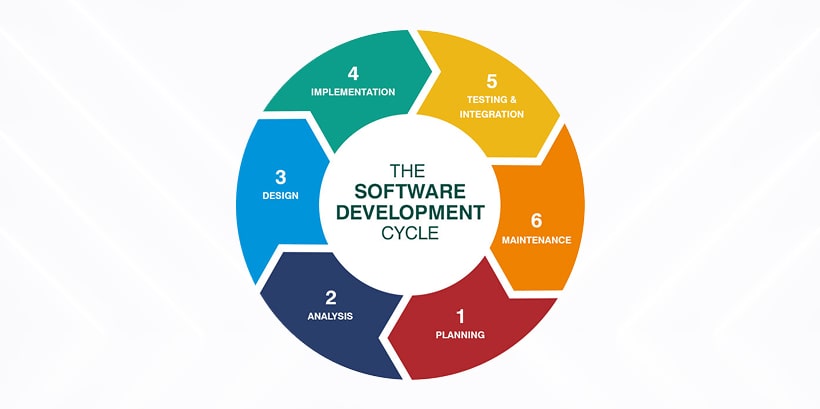
    Model-based software development follows a structured process that enhances efficiency and reduces development risks. Its model-based design process begins with a detailed requirement analysis. This ensures that the software process models understand the business needs.Next, system modeling provides a visual representation of the software structure. The process continues with simulation and verification, allowing teams to identify and resolve potential issues early.
    Finally, the implementation phase of the working model program translates validated models into functional software. Companies using .NET development services benefit from this approach, ensuring high-quality software solutions.

  • Guided Development Cycle:
  • Guided Development Cycle

    A systematic model-based software development cycle is crucial for building reliable software. On this note, various software process models, such as iterative and agile approaches, guide the execution of projects to ensure smooth progress. These models help developers maintain consistency and align software with business goals. Furthermore, by incorporating modern software development tools, companies can automate and streamline different stages of development.

    Organizations offering Power Automate consulting services use structured models to improve workflows, reduce errors, and optimize overall software performance.

    • Risk Reduction:

    A working model program helps validate software functionality before deployment, reducing development risks and saving time. This approach to model-based software development allows developers to simulate real-world scenarios. It also ensures the system behaves as expected under different conditions.

    By detecting and resolving issues early, businesses avoid costly rework and delays. Also, organizations investing in ReactJS development services benefit from this structured validation, ensuring their web applications function seamlessly.

    Additionally, model-based software development minimizes security vulnerabilities by addressing potential weaknesses during the simulation and verification phases.

  • Blueprint for Software:
  • Blueprint for Software
    In model-based software development, models act as blueprints that define a system’s behavior, interactions, and overall performance. These graphical representations ensure clarity, allowing development teams to collaborate effectively and avoid misunderstandings.By using the tools that are used in software development, businesses can select the right modeling platforms for their needs. Organizations specializing in Angular JS development company solutions leverage model-based design processes. These help to create scalable, structured, and efficient applications with well-defined system architectures.

    • Automation & Accuracy:

    One of the biggest advantages of model-based software development is its ability to automate code generation. Once validated, models produce executable code, reducing manual effort and eliminating human errors.

    This automation enhances software accuracy, ensuring that the final product meets the intended specifications. Many organizations providing WordPress development services utilize model-driven automation to streamline web application development.

    By leveraging modern software development tools, businesses ensure faster delivery and higher reliability while maintaining the flexibility to adapt to changing requirements.

  • Accelerated Development:
  • Accelerated Development
    The structured nature of model-based software development accelerates the entire development lifecycle. By using predefined models, developers reduce coding time and effort, leading to faster project completion. Additionally, automated verification and simulation allow teams to test functionalities before deployment. Organizations providing hybrid mobile app development company solutions integrate this approach to build scalable and responsive applications efficiently. With modern software development tools, businesses can enhance productivity and meet market demands more quickly while maintaining software quality.

    • Enhanced Business Applications:

    Businesses that embrace modern software development tools gain a competitive edge by creating reliable and scalable applications. By incorporating model-based software development, companies can efficiently manage complex projects while minimizing risks. This structured approach ensures that applications align with user expectations and business objectives.Organizations offering DevOps Automation services integrate model-driven workflows to enhance software deployment, ensuring smooth operations and rapid delivery. These advancements improve collaboration between development and operations teams, fostering innovation and efficiency.

    Benefits of Model-Based Systems Engineering

    Benefits of Model-Based Systems Engineering
    The points below will take you through some of the benefits of model-based systems and engineering.

    1. Precision and Reduced Errors with Model-Based vs Model-Free Approaches

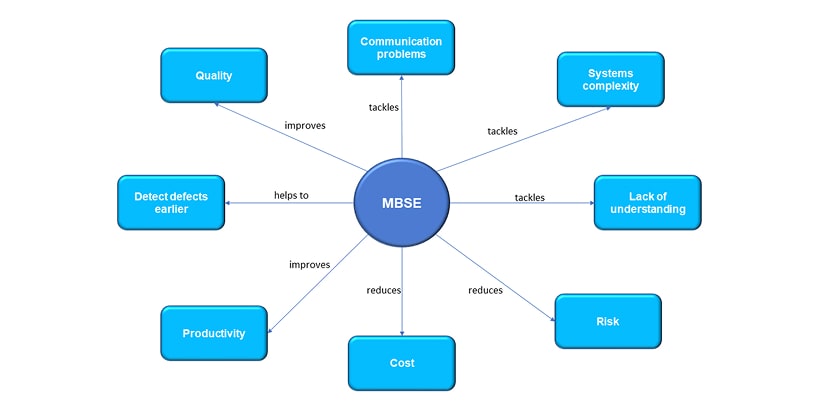
    The debate between model-based vs. model-free methodologies highlights the reliability of model-based software development. A structured, model-driven approach minimizes errors by providing accurate system representations, ensuring fewer debugging issues, and higher software precision.

    2.Increased Efficiency: Advantages of Model-Based Systems Engineering

    Advantages of Model-Based Systems Engineering

    One of the major advantages of Model-Based Systems Engineering is its ability to optimize efficiency. Developers can simulate and test systems before actual implementation, reducing development time. This approach integrates seamlessly with Dynamics 365 development services for improved workflow automation.

    3. Better Documentation and Streamlined Workflows

    The benefits of model-based engineering include well-structured documentation and improved project tracking. Using SharePoint Application Development Services, teams can centralize project documentation, ensuring transparency and accessibility across all development stages.

    4. Automated Testing for Higher Reliability

    Automated Testing for Higher Reliability
    Model-based software development supports automated testing and validation, reducing manual efforts. With Power Automated consulting services, businesses can automate testing workflows, ensuring software reliability while accelerating deployment.

    5. Flexibility and Cost Savings: Advantages of Model-Based Design

    A key advantage of model-based design is its adaptability to business needs. Changes can be easily incorporated into models, minimizing rework. Pairing this approach with Azure-managed services provides scalable cloud infrastructure, resulting in cost savings and efficient project execution.

    Challenges in Model-Based Software

    Challenges in Model-Based Software
    Besides the above perks of leveraging model-based software development, you must be prepared for some of its potential challenges. On this note, we have listed down some of the most common challenges that you must be aware of while discussing what MBSD is.

    • Steep Learning Curve: Challenges of Model-Based Software Development

    A major challenge of model-based software development is the complexity of learning advanced tools. Developers need expertise in modeling and automation, which requires extensive training. Businesses can simplify this process by using Power Apps consulting services for low-code solutions and Dynamics 365 development services for automated workflows and data integration.

  • Integration Issues: Model-Based Systems Engineering Software Challenges
  • Model-Based Systems Engineering Software Challenges

    A major model-based systems engineering software challenge is integrating with legacy applications. Many existing systems are not built for model-based software development, making adoption difficult. Using ASP.NET development services can help bridge compatibility gaps by creating scalable and adaptable backend solutions.

    • Overcoming Challenges with Best Practices

    Despite these obstacles, adopting best practices and seeking expert guidance can make model-based software development successful. Companies can integrate WordPress development services to enhance project collaboration and streamline documentation for better implementation.

    Final Words

    To conclude, by incorporating model-based software engineering techniques, your organization can improve efficiency, reduce costs, and create scalable applications. The adoption of model-based techniques also ensures compliance with industry standards while delivering high-quality software solutions.
    Therefore, if you are looking for expert assistance with model-based software development for your business, our experts at MoreYeahs are happy to help. With round-the-clock service and industry-level expertise, we can help you explore different approaches to optimize your development process. So, connect with our team TODAY!

    Frequently Asked Questions

    What is an example of model-based design?
    An example of model-based design is using MATLAB/Simulink to develop automotive control systems. Engineers create, simulate, and test models before implementation, ensuring accuracy, reducing errors, and improving development efficiency.
    What does a model developer do?
    A model developer designs, builds, and tests computational models to simulate real-world systems. They use modeling tools to improve system performance, automate processes, and support decision-making in engineering, software development, and data analysis.
    What is a model in software engineering?
    In software engineering, a model is an abstract representation of a system, process, or concept. It helps visualize, analyze, and simulate software behavior, improving design, development, and validation before implementation.
    What are the four pillars of model-based systems engineering?
    The four pillars of model-based systems engineering (MBSE) are requirements management, system design, analysis and simulation, and model-based verification. These pillars ensure structured development, improved collaboration, reduced errors, and efficient system validation.
    What is meant by model-driven engineering in software engineering?
    Model-driven engineering (MDE) in software engineering is an approach that uses models as primary artifacts for design, analysis, and implementation, enabling automation, improving efficiency, and reducing manual coding efforts in software development.

  • The Future of Digital Marketing: Key Trends for 2025

    The Future of Digital Marketing: Key Trends for 2025

    Important Metrics to Highlight the Transforming Future of Digital Marketing

    Important Metrics to Highlight the Transforming Future of Digital Marketing
    Before we delve into the upcoming trends that will shape the future of digital marketing in 2025, let’s browse through some noteworthy insights.

  • The SEO game is rapidly changing owing to search engines such as Google and Bing and AI platforms such as Perplexity.ai and ChatGPT. In 2025, you must focus more on tailored and informative content that fits new formats such as voice search and visual search. Today, approximately 41% of adults use the former, and the demand for the latter will boom by 17.4% by 2025.
  • Owing to the growing prominence of AI and automation in digital marketing, the upcoming years will witness the biggest disruption in SEO. According to the SEJ State of SEO 2025 report, the role of generative AI in searches will grow by 36.3% in 2025.
    As per a report by UberSuggest, 79% of consumers will opt for AI-enhanced searches
  • As per a report by UberSuggest, 79% of consumers will opt for AI-enhanced searches in the forthcoming days. They also state that 70% of consumers show a high degree of trust in the Gen AI results. This increase in AI-based searches is paving the way for new search platforms like DeepSeek to dominate the market.
  • Today more than 73% of consumers prefer a personalized shopping experience. To fulfill this growing need, AI must do much heavy lifting and deliver personalized content and adaptive messaging techniques.
  • Ad platforms such as Meta and Google are rapidly embracing AI-driven automation. This implies that moving forward in 2025, there will be less manual ad campaign handling and more role of AI in performance analysis. The fact that in August 2024 alone, 15 million ads were generated using Gen AI tools.
  • Key Trends of Digital Marketing You Must Watch in 2025

    Key Trends of Digital Marketing You Must Watch in 2025

    1. The Rise of AI and Automation

    As stated by the metrics above, the role of AI is gaining more attention in 2025 owing to the growing demand for automated marketing strategies. This rise of AI and automation will influence the future of digital marketing in ways such as how your brand interacts with customers. By using AI in digital marketing, you can embrace real-time engagement with a personalized touch. The role and benefits of AI in the digital marketing sector also involve streamlined workflow with Standard Operating Procedures (SOPs). These assist your team in automating trivial or repetitive tasks so that they can prioritize other important work. Marketing automation in digital marketing also improves cross-team collaboration with efficient project management tools. These advantages of AI in digital marketing assist in ensuring centralized communication and regular check-ins. To embrace AI and automation and curated digital marketing assistance, consider connecting with the best video marketing services.By implementing the power of AI automation in digital marketing with the right platform, you can ensure your team and the target audience are on the same page. This is also an essential step to position your brand in the right way.

    2. Voice Search and Conversational Marketing

    Voice Search and Conversational Marketing
    The future of digital marketing is witnessing the rise of voice-based searches as more and more users adopt smart assistants. To stay prepared for this trend, you must equip your business with voice search optimization in digital marketing. This shall offer fresh chances to expand your business. With tools like AI chatbots in digital marketing, it also takes you one step forward to prepare your business for conversational search. This is a new subset of voice search that allows users to ask questions and receive responses in natural language. The importance of chatbots in digital marketing also lies in revolutionizing customer interaction. With it, your team can resolve any product-related queries anytime. Therefore, unlike the old days, your customers do not have to wait for your responses only on working days. You can opt for Microsoft Copilot or connect with professionals to know the best generative AI apps to boost productivity. So, by investing in AI chatbots and conversational AI, you will gain a competitive edge over your rivals.

    3. Hyper-Personalization with Big Data

    Hyper Personalization with Big Data
    As we move forward in 2025, we shall witness hyper-personalization marketing redefine the future of digital marketing. Owing to hyper-personalization with AI and analytics, you can offer a smooth and connected experience to your customersWhether they are buying from a store or browsing products on their devices, the entire journey will become effortless with AI. Furthermore, hyper-personalization with AI also allows your brand to closely observe and understand the customer requirements and preferences and create a targeted campaign. This also helps your team improve and empower their email marketing strategies.Hyper-personalization in marketing also helps in boosting customer loyalty, which eventually rockets sales. Embracing this trend as the future of digital marketing, your organization can deliver more meaningful connections, better interactions, and long-term success. It also allows your team to connect and understand customer behavior with different social media marketing types. This can include Facebook or Instagram marketing practices.

    4. The Dominance of Video Content

    The Dominance of Video Content
    Visual search is going to be the new normal as its popularity is estimated to grow by 17.4% from 2024 to 2032.
    This metric sheds light on the fact that the future of digital marketing will increasingly get visual. Visual searches and video ads will soon take the central stage in dynamic spheres. You must leverage visual marketing trends to attract and retain customers. Short-term videos, live streaming, and interactive content will be key to engagement.
    Staying updated with video marketing trends in 2025 is crucial for your brand to aim for maximum reach. Investing in high-quality video marketing services can ensure you can create compelling content that drives conversions. Furthermore, brands that integrate videos into their marketing strategy will reflect a higher audience and better retention.

    5. The Shift Toward Privacy-First Marketing

    Things to Consider to Keep up with Future Trends in Digital Marketing
    The future of digital marketing is moving towards a more privacy-centric approach. Target audiences and consumers are becoming more conscious about data security. This highlights the importance of data privacy in digital marketing much more critically. Also, you must adopt a privacy-first marketing strategy along with other white hat SEO techniques to define the trust factor with your audience.Furthermore, with the phasing out of third-party cookies, you must also explore the benefits and possible outcomes of cookieless marketing. A cookieless future marketing approach ensures compliance with data regulation while maintaining a personalized experience. Brands that prioritize transparency have more tendency to establish a stronger relationship with their customers.

    6. Growth of Influencer and Community-Driven Marketing

    Growth of Influencer and Community Driven Marketing

    The future of digital marketing will witness a rise in influencer collaboration and community-driven strategies. Influencer Marketing Trends 2025 suggests that brands will focus on authentic partnerships to connect with the niche audience. It is here that micro and nano influencers will play a key role in this engagement. Therefore, you would need to design your social media marketing content and social media management as a whole to incorporate most benefits of influencer marketing.

    In this regard, keeping up with the latest influencer marketing trends helps brands leverage social proof and build credibility. Community-led growth will also be crucial as businesses like yours will focus more on fostering stronger communities than simply acquiring customers.

    Things to Consider to Keep up with Future Trends in Digital Marketing

    Things to Consider to Keep up with Future Trends in Digital Marketing
    To stay ahead and keep up with the flow of the future of digital marketing, businesses must keep adapting. In this context, besides white hat SEO, email marketing strategies, and SaaS SEO, awareness of the latest digital marketing trends will also come to the rescue.However, consider keeping the following points in mind while surfing with tides and future trends in digital marketing.

  • Embrace AI and Automation: Leverage AI-driven tools to enhance efficiency, improve customer engagement, and PPC management.
  • Prioritize Personalization: Implement targeted campaigns based on user preferences to increase conversions.
  • Invest in Video Content: Follow the latest digital marketing trends by integrating engaging video strategies.
  • Adapt Data-Driven Decision Making: Use analytics to refine marketing strategies and optimize performance.
  • Professional Assistance: To gain support regarding how to implement different digital marketing strategies for instances like PPC Ads management, consider consulting professional assistance.
  • Final Words

    Keeping up with the future of digital marketing is essential for building strong, long-term relationships with your customers. To stay ahead, businesses must understand the specific needs and goals of their target audience, provide personalized solutions, and consistently deliver value.
    Marketers must also develop strategies that balance personalization with privacy in 2025. As digital marketing changes in 2025, adapting to shifting trends and leveraging future-proof technology will be crucial.To sum up, the key is flexibility. Whether you are planning to integrate AI into your marketing design and strategies or explore innovative ways to engage your audience, MoreYeahs is here to help. You can also get in touch with us for social media management and email marketing services to expand your customer base in 2025. Explore how we can equip your business with tailored solutions to thrive in the future of digital marketing. Connect with us today!

    Frequently Asked Questions

    What is the future of digital marketing in 2030?
    By 2030, the future of digital marketing is anticipated to be much more AI-driven, hyper-personalized, and immersive. Technologies like AR/VR, voice search, and privacy-first strategies will transform customer engagement and redefine brand-consumer interactions.
    Can digital marketing be replaced by AI?
    AI will enhance digital marketing but not replace it entirely. Human creativity, strategy, and emotional intelligence are crucial for storytelling, branding, and customer relationships—areas where AI still lacks depth.
    Why is video content important in 2025?
    In 2025, video content is crucial for engagement, brand awareness, and conversions. Short-form, interactive, and live videos will dominate, cater to mobile users, and tend to enhance personalized customer experiences.
    What is the evolution of hyper-personalization?
    Hyper-personalization has evolved from basic segmentation to AI-driven real-time customization. Advancements in big data, machine learning, and predictive analytics now enable brands to deliver highly relevant, individualized experiences across multiple touchpoints.
    How does privacy affect marketing?
    Privacy shapes marketing by influencing data collection, personalization, and customer trust. Stricter regulations and consumer awareness push brands to adopt transparent, ethical, and privacy-first marketing strategies while maintaining effective audience targeting.

  • Types of Application Software: A Quick Overview 2025

    Types of Application Software: A Quick Overview 2025

    What is Application Software?

    What is Application Software_
    Before we delve into what the types of application software are, let’s brush you through its definitions.In simple terms, application software is a program designed to perform specific tasks for users. Unlike system software that runs the hardware, application software focuses on enhancing user experience by simplifying tasks such as document processing, presentations, calculations, and media editing. You can use these programs in various domains, such as business, education, and entertainment.
    To meet diverse needs, there are several types of application software. These different application types of software cater to specific needs, from managing data to improving workflow. Whether it is for personal use or enterprise solutions like CRM software, selecting the right software application types can boost productivity and streamline operations.

    Functions of Application Software

    Functions of Application Software
    As mentioned earlier, different types of application software fulfill diverse functions. Therefore, it’s safe to say that the functions of application software and its impact on our daily lives are innumerable. Nevertheless, we have listed down for you some of the core functions of application software.

    • Organizes files
    • Data analysis and management
    • Finance and payroll management
    • Business project management
    • Resources (ERP and CRM systems) and HR management
    • Healthcare software management
    • Project management
    • Document management

    .

    What are the Types of Application Software?
    What are the Types of Application Software_
    You can classify the different types of application software depending on its function, ease of access, and cost. Keeping these in mind, take a look at the different types of computer software applications.

    1. Word processing Software
    Wordprocessing Software

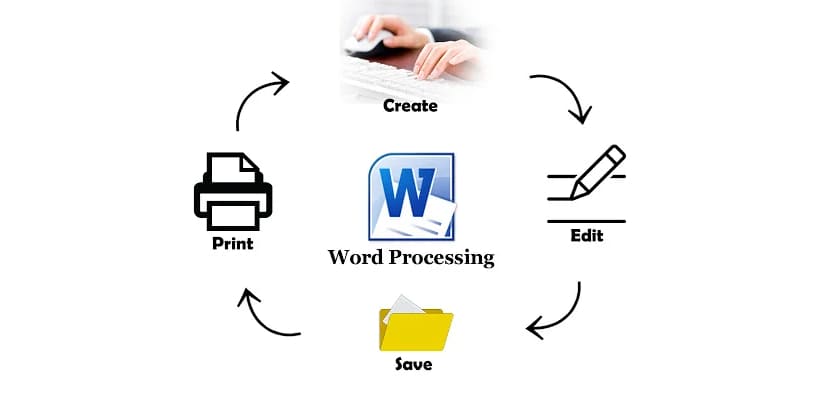
    As a popular type of application software, word processing software helps you create, edit, format, and print text documents. It includes features such as spell check, grammar correction, and templates. Common examples include Microsoft Word, Google Docs, and OpenOffice Writer. You can use word processing software for documentation, report writing, and content creation and also integrate it with generative AI apps.

    2. Presentation Software

    This is another very popular type of application software used in educational institutions and businesses. Presentation software enables you to create slideshows with text, images, animations, and multimedia elements. Microsoft PowerPoint, Google Slides, and Prezi are widely used for business and educational presentations. You can also use them to create learning materials for your workplace or educational purposes. This application software type enhances communication by visually organizing information for effective delivery.

    3. Spreadsheet Software

    Spreadsheet Software

    Among the popular and most used types of application software, spreadsheet software is the predecessor to organization management platforms and business software like CRM. Spreadsheet software helps you to perform calculations, analyze data, and create charts. Microsoft Excel, Google Sheets, and OpenOffice Calc help businesses manage finances, track inventory, and visualize trends. You can also use this software application to keep track of employees, customers, and workflow. This type of application of software simplifies complex computations with built-in formulas and functions. To make the most out of such pre-existing spreadsheet application software or customize one for your business, consider seeking assistance from low-code/no-code app development services.

    4. Web Browsers

    Web browsers provide access to the internet and allow you to browse websites and retrieve information. The information you find here, be it pictures, text, videos, or music, is readily available on the World Wide Web. Popular examples of web browsers are Google Chrome, Mozilla Firefox, and Microsoft Edge. These types of software applications are essential for research, entertainment, and online transactions. To know how to build the perfect web applications leveraging the right web browsers, you might want to connect with certified progressive web application developers.

    5. Multimedia Software

    This is another popular type of application software for day-to-day use and businesses. Multimedia software helps you to edit, create, and play audio and video files. Adobe Premiere Pro, VLC Media Player, and Windows Media Player fall under this software application type. Your business can use multimedia tools for marketing, content creation, and entertainment purposes.

    6. Graphics Software

    As one of the important types of application software, graphics software will allow you to design and manipulate images. Adobe Photoshop, CorelDRAW, and Canva are popular tools in this category. You can use this type of application program in marketing, advertising, and digital content creation. You can also integrate graphics tools with React Native development services to create visually appealing and interactive mobile applications.

    7. Education Software

    Education software supports learning and training programs. Duolingo, Moodle, Udemy, and Google Classroom offer interactive learning experiences. Schools and businesses use these kinds of software applications for skill development and sharing knowledge as a part of the pupils’ daily curriculum.

    8. Freeware

    Among the types of application software, freeware is available for free without any charge. Popular examples include Mozilla Firefox, VLC Media Player, and Skype. These types of application programs provide essential features without licensing costs, making them ideal for personal and business use.

    9. Simulation Software

    Among the different types of application software, you can use simulation software for training and research. Furthermore, it also mimics real-world scenarios in industries like aviation, healthcare, and engineering. Flight simulators and medical training applications fall under this application software and types.

    10. Open Source

    Open-source software allows users to modify and distribute the code freely. Linux, Apache, and GIMP are well-known examples. This software application type fosters innovation and customization based on user needs

    11. Shareware

    Shareware is software that offers limited-time free usage before requiring payment. WinRAR and Adobe Acrobat Reader are examples of this sample software applications model. It helps users test the software before purchasing it.

    12. Closed Source

    Closed-source software restricts access to its code, ensuring security and intellectual property protection. Microsoft Office and Adobe Photoshop are common examples of this category of software applications.

    Why do we Need Different Types of Application Software?
    Why do we Need Different Types of Application Software_

    As an end user, you can utilize the different types of application software to perform diverse tasks individually or simultaneously. The following points will highlight why your business needs application software. 

  • Manage and manipulate data
  • Manage and manipulate data
    Businesses and individuals rely on several types of application software daily to handle large volumes of data efficiently. Database management systems, spreadsheet applications, and CRM tools help store, retrieve, and process data seamlessly. Whether it is customer records, financial reports, or inventory tracking, data-driven applications provide you with accuracy and accessibility.For instance, CRM software assists you in managing customer interactions effectively. With the rise of generative AI apps, you can also automate data analysis, make informed decisions faster, and improve operational efficiency.

    • Help Users Complete Specific Tasks

    Different types of application software streamline daily operations for you by automating repetitive tasks and reducing manual effort.

    Word processors, accounting software, and project management tools enhance workflow efficiency, allowing users to focus on core business activities. With low-code/no-code app development platforms, you can create customized solutions tailored to their needs without extensive coding knowledge. Whether it is document creation, financial planning, or team collaboration, the different types of software applications ensure your team completes tasks accurately and on time. This eventually helps improve overall productivity.

  • Allow Users to Organize Data and Information
  • Allow Users to Organize Data and Information
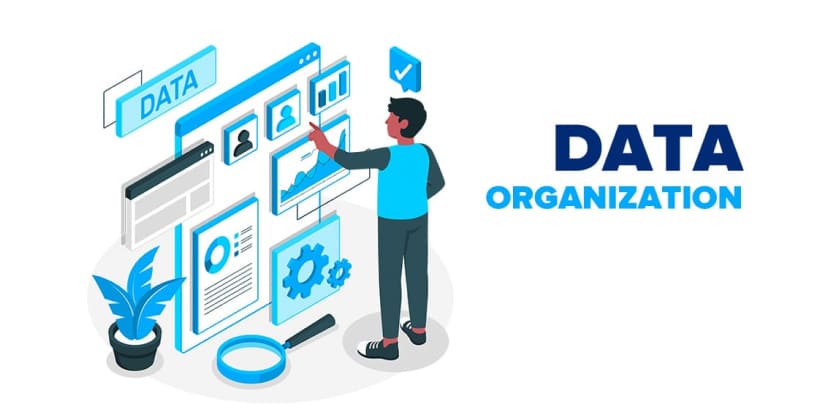
    Structured information is crucial for decision-making and communication. Various software application categories like presentation tools, data visualization software, and graphic design programs help organize content. With these tools, you can organize the content in an engaging and understandable format. Furthermore, you can also leverage React Native development services to build interactive applications that enhance user engagement and content delivery.Adding to this, progressive web applications also ensure you gain seamless access to organized information across devices, improving accessibility. From marketing reports to educational content, you need the right types of application software to make information clear, structured, and visually appealing.

    Advantages of Application Software

    Advantages of Application Software
    As we move to 2025, you will witness many organizations invest in developing various types of application software. The points below highlight the advantages of choosing application software to help you make an informed decision.

  • Better Decision Making
  • Better Decision Making

    With the help of application software tools like CRM software, you can analyze data, gain insights, and make informed choices. Moreover, reports, charts, and real-time analytics improve strategic planning.

    • Improved Productivity

    Automation in tools like low-code/no-code app development speeds up workflows. It helps users focus on critical tasks instead of manual operations.

  • More Flexibility
  • More Flexibility
    It is no longer a secret that different software application-type solutions cater to various industries. Therefore, you can choose between React Native development services, hybrid application development services, or progressive web applications to develop tailored application software to fit your business needs.

    • Better User Experience

    Different types of application software help your team to minimize the time spent behind a single activity and develop more results faster. For example, with generative AI apps like Copilot, you can strengthen the quality of the outcome with AI suggestions and focus on creating better content.

    Drawbacks of Application Software

    • Poorly maintained types of app software can feature security risks that make your sensitive data susceptible to third-party infiltration.
    • Application software might also face compatibility issues when it comes to integration with different platforms.
    • Certain application software does not offer free accessibility, and their premium features are highly expensive.
      .

    How to Choose the Right Application Software for Your Business?

    How to Choose the Right Application Software for Your Business_
    Now that you know what the different types of application software are and their importance regarding your business growth, it is necessary to know how to select the best one. Therefore, consider keeping the following tips in mind while choosing the right application software for you.

    • Cost and value

    Every business has a budget. Therefore, before investing in software applications, consider parameters such as upfront costs and long-term benefits along with other app development costs.

    • Updates and Maintenance

    While researching the right type of software application for your business, consider the developers’ policy for each application regarding updates, bug fixing, and regular maintenance. You must ensure that the kind of software application you are choosing, you get quick support and maintenance whenever an issue arises.

    • Ease of Implementation

    While you research different types of software for your application, consider keeping this point in mind. Some software comes with a complicated implementation process and a long learning curve. This disadvantage might overpower and diminish the other benefits of the application. Therefore, consider knowing the strengths and diversity of your team and choose an application that integrates seamlessly with your existing system.

    • Adaptability

    While hunting for the right type of application software for your business, consider opting for a scalable solution that adapts and grows with your business. For instance, Power Apps and business applications such as CRM software.

    • Security

    In today’s era of growing cyber threats and scams, finding a software application that protects your data and sensitive information from third-party authorities is necessary. Therefore, to choose the right type of software application, consider looking into how the software handles and stores data. You must also check for the security protocols that prevent unauthorized use of data.

    • Tech Support

    This is another essential parameter you must consider while finalizing the right type of application software for you. You must have a clear idea of what type of tech support you will be getting after software implementation. At this stage, you might want to consult hybrid application development services, which offer dedicated support for seamless performance.

    The Future of Types of Application Software
    The Future of Types of Application Software
    Owing to technological advancements and changing user demands, the future of the types of application software is rapidly evolving.
    We are looking for smarter, more efficient solutions that offer automation, flexibility, and seamless integration. Furthermore, AI-powered tools, cloud-based applications, and high-tech security measures are shaping the next generation of types of application software.

    With the rise of generative AI apps , you can automate complex tasks like content creation, data analysis, and customer interactions. Additionally, most businesses are also adopting low-code/no-code app development to build customized solutions without extensive coding. Also, progressive web applications and hybrid application development services are making software more accessible across devices.

    Basic Differences between Application Software Types and System Software
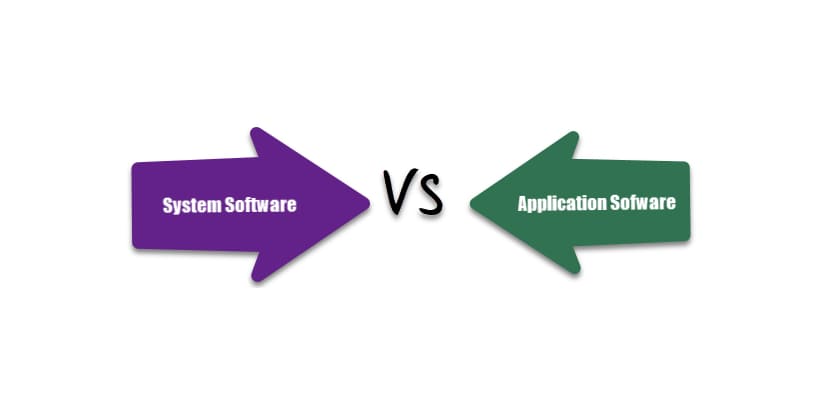
    Basic Differences between Application Software Types and System Software

    1. Purpose

    • System software is essential for managing hardware and provides a platform for other programs.
    • Application software helps users perform specific tasks such as word processing, browsing, and media editing. Different types of application software cater to various user needs.

    2. Installation & Dependency

    • System software is pre-installed with the operating system and is necessary for running hardware and software.
    • Application software is installed separately based on user requirements. Software application types like word processors, design software, and categories of software applications provide flexibility in choosing the right tools.

    3. User Interaction

    • System software runs in the background and is not directly used by individuals. It ensures the smooth functioning of all applications.
    • Application software interacts with users directly. Various types of application software, such as multimedia tools and productivity applications, improve efficiency and user experience.

    Functionality

    Functionality

    • System software controls system resources and enables application execution. It includes drivers, utilities, and firmware..
    • Application software is designed for specific tasks, such as creating presentations or managing data. Businesses often use types of application programs like CRM tools to enhance productivity. With advancements in hybrid application development services, software solutions are becoming more efficient and adaptable to user needs.

    Final Words

    To conclude, this is everything you need to know about the popular types of application software, its functions, and its importance in day-to-day life.By thoroughly understanding them, you can make an informed decision while choosing the right application software type. This is a major power move to enhance efficiency, productivity, and security.If you feel overwhelmed to make the right choice alone, don’t worry! We got your back. At MoreYeahs, our expert service providers cater to your needs and provide much-needed guidance tailored solely to your business needs.

    Frequently Asked Questions

    What are the three main types of software?
    The three main types of software are system software, application software, and programming software. Each serves distinct functions in computing environments.
    What is the difference between software and application software?
    Software is a broad term for computer programs, including systems applications and programming software. Application software is a subset designed for user tasks like word processing, browsing, or gaming, enhancing productivity.
    What is another name for application software?
    Another name for application software is end-user software or productivity software. It includes programs like word processors, web browsers, and media players, designed to help users perform specific tasks on a computer or device.
    Is Facebook an application software?
    Yes, Facebook is an application software, specifically a web application and mobile app. It enables users to connect, share content, and communicate, running on web browsers and mobile operating systems like iOS and Android.
    What is system software?
    System software manages hardware and provides a platform for application software. It includes operating systems (Windows, macOS), utility programs, and drivers, ensuring efficient computer operation and user interaction with hardware components.

  • What Are the Benefits of Using CRM? Key Advantages

    What Are the Benefits of Using CRM? Key Advantages

    What is a CRM?

    What is a CRM
    Before delving into what the benefits of using CRM are, let’s take a quick look at what CRM actually is. Customer Relationship Management, aka CRM, refers to the technology, strategies, and practices businesses use to manage and analyze customer interactions. One of the main benefits of CRM is that it is a centralized repository of your business and customer data. By storing all customer data in one place, CRM systems help businesses streamline processes, improve customer satisfaction, and drive profitability. Whether for sales, marketing, or customer service, CRM plays a pivotal role in modern business management.In essence, CRM acts as the backbone of customer-centric strategies, ensuring seamless communication and operational efficiency. However, while studying what the main benefits of CRM are, we might stumble upon the question of which fits our business better: a CRM strategy or CRM software.
    To understand this, you should remember that CRM software and strategy are very different from one another, and the terms must not be used synonymously.
    CRM strategy involves the decision-making and customer interaction processes. On the other hand, CRM software helps you put the customer relationship strategy into action. It efficiently collects and stores data to help your sales team manage difficult tasks easily.

    To integrate the right CRM software into your business, consider consulting with experts like Zoho CRM consultant.

    Key Features of CRM Software

    Key Features of CRM Software

    1. Customer Data Management

    As a centralized repository, customer data management is one of the core functions of centralized software. This primarily involves gathering and organizing customer data across several touchpoints. With a CRM as your customer data management system, you can build an accurate buyer persona with information from live chats, phone calls, social media, and emails.

    2. Workflow Automation

    Workflow Automation

    This is another core feature that you must consider while looking for what the benefits of using CRM are. A perfect CRM platform can help your sales team manage time by automating trivial, monotonous, and complex tasks. This will help improve efficiency by saving time and reducing human errors. So, whether you are writing a personalized email or calculating the receivable amount, CRM software can do it in a blink.

    3. Seamless Integration with Other Tools

    A good CRM platform does not work as a lone wolf. Instead, it integrates with different platforms to help your sales team make an informed decision. Therefore, consider integrating it with your other systems, like email marketing software or a content management system. Seamless integration makes the sharing of data across platforms easier, allowing you to see the bigger picture.

    4. Reporting and Analytics

    Reporting and Analytics
    This is another important feature that you must remember while considering what the benefits of using CRM are. CRM software does more than simply organize data. With AI and advanced analytics features, the CRM platform can predict customer behavior with real-time trend shifts and patterns. With these insights, you can make informed decisions and pitch your products and services to customers with a personalized touch.

    What are the 10 Benefits of CRM?

    What are the 12 Benefits of CRM
    Now that you know what CRM software is, let’s check out the benefits of using a CRM for your business.

    1. Centralized Information Storage

    This is one of the key benefits of CRM that attracts businesses today. With a CRM portal, your team no longer needs to search for lead contacts and information across multiple folders. They also do not need to rely on others consistently to receive updated customer data. A CRM tool takes over all these functions. As a cloud-based platform, it can store innumerable data about your business, customers, and potential leads. It eliminates data silos, which ensures everyone in your team has up-to-date insights. This means better collaborations. Furthermore, you can also access this information anytime, regardless of your location or the device you are using.

    2. Enhances Customer Relationship

    Enhances Customer Relationship
    When wondering what the benefits of CRM are, improved customer relationships often top the list. CRM systems can empower your business to understand customer needs and deliver personalized experiences. This strengthens loyalty and boosts satisfaction, leading to repeat business.

    In industries like hospitality or retail, the benefits of CRM in the hospitality industry and retail are immense, ensuring tailored services that enhance customer retention. You can further enhance CRM capabilities for your business by leveraging expert Dynamics 365 consulting services. This will be a great step to optimize your CRM strategy and achieve better results.

    3. More Control Over Sales

    CRM provides tools for tracking leads, managing sales pipelines, and forecasting revenue. This makes sales management more transparent and structured. With this, your sales teams can identify where leads stand in the buying journey, offering timely follow-ups.

    Furthermore, if your company is exploring the benefits of CRM for sales, improved control over the process ensures higher conversion rates and efficient deal closure. Leveraging solutions like Microsoft CRM and expert guidance from a Zoho CRM consultant can further streamline sales operations and enhance overall business efficiency.

    4. Active Customers Spend More Per Purchase

    Active Customers Spend More Per Purchase
    Understanding customer behavior is another of the benefits of CRM systems. By analyzing purchase patterns and preferences, you can implement strategies to encourage active customers to spend more per transaction.

    For example, benefits of CRM in e-commerce include upselling and cross-selling opportunities, increasing average order value, and overall profitability. When considering what the benefits of using CRM are, you can enhance their capabilities by utilizing solutions like Dynamics 365 Central. You can also choose expert services such as ServiceNow implementation services. This ensures seamless operations and better customer engagement.

    5. Identifies Best Opportunities

    This is another important benefit of CRM that is attracting both large and small-scale businesses of today. CRM tools are instrumental in identifying high-value prospects and customers. By analyzing data, businesses can focus their resources on opportunities with the highest return on investment. This helps organizations like yours make informed decisions, prioritize their efforts, and achieve better results.

    When considering what the benefits of using CRM are, one key advantage is the ability to optimize resource allocation and improve sales strategies. Additionally, the benefits of a good customer relationship management system also include building long-term relationships and fostering customer loyalty. You can further enhance your business’s CRM capabilities by leveraging expert services or hiring Vtiger developers and exploring solutions like MS Dynamics. This is a great way to ensure seamless integration and improved business performance.

    6.Allows Monitoring of All Results

    Allows Monitoring of All Results
    A robust CRM system offers AI analytics and reporting features to track the performance of sales, marketing, and service efforts. From campaign success rates to sales forecasts, these real-time AI insights shall help you make informed decisions for your business and drive growth.
    When evaluating what the benefits of using CRM for your business are, one significant advantage is gaining valuable insights that support strategic planning. If you are a marketer, the benefits of CRM in marketing include better campaign management and ROI analysis. This ensures efficient allocation of resources. Additionally, you can also leverage solutions like Dynamics 365 and expert guidance from a SharePoint consulting service to best CRM strategies. This shall assist you in streamlining the customer relationship management process and enhance collaboration.

    7. Customer Focus

    The right CRM system promotes a customer-first approach. With this, you can segment your customers based on their preferences, demographics, and buying behavior. This allows you to tailor strategies that drive engagement and satisfaction.
    Furthermore, one of the key benefits of CRM is the ability to deliver experiences to customers that bear a personal touch. This helps foster long-term relationships between your business and the customers. Also, by adopting a customer-focused strategy, many companies realize the benefits of good customer relationship management. This is also beneficial for higher satisfaction and loyalty. Additionally, leveraging solutions like MS Dynamics and expert support from ServiceNow implementation services can further enhance customer engagement and operational efficiency.

    8. Better Time Management

    Better Time Management

    Time is a crucial resource, especially for businesses like yours when it comes to when and how to connect with a potential customer. This becomes easier with the right CRM platform. It can help you in scheduling emails and follow-ups, task management, and prioritization of leads and customers seamlessly. Furthermore, with AI insights, a CRM can also generate automated reminders and workflows to keep your sales team focused on important tasks. This saves them from redoing monotonous tasks. It also reduces inefficiencies related to time-consuming complex tasks or human-generated errors and ensures smooth operations.

    When considering what the benefits of using CRM are, one major advantage is improved productivity, allowing businesses to focus on growth and innovation. The benefits of CRM for sales include better lead management, timely follow-ups, and increased conversion rates. You can further enhance your business’s CRM efficiency by leveraging solutions like Dynamics 365 Central and seeking expert advice from a Zoho CRM consultant. With these, you can ensure optimal utilization of resources leading to improved sales performance.

    9. Potential of Strategic Integrations with WhatsApp, Email, and Others

    This is another point among what are the benefits of using CRM, you must note if you are considering the right CRM platform for your business.

    The perfect CRM platform allows seamless integration with communication tools like WhatsApp, email, and social media. These integrations enable businesses to stay connected with customers across platforms, offering convenience and quick responses. Thus, you can track your customer queries and complaints and address them in a personalized manner.
    Such integrations underscore the benefits of CRM in business, enhancing engagement and communication efficiency.

    10. Follow-up Optimization

    Follow-up Optimization
    Timely follow-ups are crucial for closing deals and nurturing relationships while considering what the benefits of using CRM software are. CRM systems automate reminders and track communication history, ensuring that your sales team misses no follow-up opportunity for your business.
    Therefore, the ability of this platform to optimize follow-ups makes it one of the top 10 benefits of CRM that can drive both short-term sales and long-term growth for your business in 2025.

    Summary

    To conclude, a CRM is a technology suite that helps streamline and elevate a business’s interaction with customers. It acts as a centralized repository of data, provides AI insights for reporting and advanced analytics, and seamlessly integrates with diverse other platforms to help your marketing team see the big picture.

    If you are still wondering what the benefits of using CRM are or why you should integrate one and still don’t feel convinced with the points above, let’s assure you the benefits of CRM also go beyond this list. Therefore, to make an informed decision, you might want to consult with an expert or hire a Vtiger developer with us at MoreYeahs to know and implement the benefits of CRM for your business.

    Frequently Asked Questions

    What are the 5 benefits of CRM?
    The top 5 benefits of CRM to businesses are centralized storage of data, AI insights for analytics and reporting, follow-up optimization, integration with other third-party platforms, and monitoring results to paint a big picture.
    Who benefits from a CRM system?
    Businesses of all sizes, sales teams, marketing departments, customer service representatives, and management teams can see the bigger picture of the customer base and their businesses’s performances by leveraging the benefits of CRM systems.
    What is e-CRM and its benefits?
    E-CRM, or electronic customer relationship management. It utilizes online tools to manage customer interactions. The benefits of this CRM include improved communication, personalized experiences, enhanced customer satisfaction, streamlined processes, and better data management for business growth.
    What are the main functions of CRM?
    The main functions of CRM include managing customer data, tracking interactions, automating sales and marketing processes, improving customer service, enhancing collaboration, and providing insights through reporting and analytics to support business growth.
    What are the 6 E’s of CRM?
    The 6 E’s of CRM that make you understand what the benefits of using CRM are are Engagement, Experience, Execution, Enablement, Empowerment, and Evolution. They focus on building relationships, enhancing customer interactions, improving processes, and adapting strategies for long-term business success.

  • What is Elastic Compute Cloud in AWS: Features & Use Cases

    What is Elastic Compute Cloud in AWS: Features & Use Cases

    What is Elastic Compute Cloud in AWS?

    What is Elastic Compute Cloud in AWS
    Elastic Compute Cloud in AWS is a web service offering scalable cloud computing power. Commonly known as Amazon EC2, it enables developers to run applications without investing in physical servers. This pay-as-you-go service ensures flexibility and scalability for businesses of all sizes. Elastic Compute Cloud’s meaning lies in its ability to provide dynamic, resizable compute resources for various workloads.With EC2 Elastic Compute Cloud, you can configure virtual servers, known as EC2 instances, to meet specific requirements. The service supports multiple instance types, operating systems, and software packages, making it a key AWS Cloud Services Offerings component.

    • So, what is Elastic Compute Cloud in AWS? It is a cloud computing service that adapts to dynamic business needs.
    • Elasticity allows us to scale resources up or down based on demand.
    • It hosts various instance types for diverse use cases.
    • Secure, reliable infrastructure for business-critical applications

    What are the Important Features of Amazon Elastic Compute Cloud?

    What are the Important Features of Amazon Elastic Compute Cloud
    Amazon EC2 provides several essential features to help businesses maximize their cloud computing resources effectively. For a deeper understanding of what is EC2 in AWS, take a look at some of its noteworthy features.

  • Auto Scaling
  • Auto Scaling

    Auto Scaling in Elastic Compute Cloud in AWS ensures the number of instances automatically adjusts based on workload demands. This feature prevents over-provisioning, reduces costs, and supports DevOps automation by optimizing resources. Businesses leveraging AWS Cloud Services find Auto Scaling ideal for maintaining application performance during traffic surges.

    • Multiple Instance Types

    Amazon EC2 offers various EC2 instance types tailored to specific workloads, such as memory-optimized or compute-intensive tasks. These flexible configurations in EC2 Elastic Compute Cloud cater to diverse business needs, supporting operations like DevOps in cloud computing and big data analysis. Knowing what are EC2 instances used for helps select the right type for optimal performance.

  • Pay-as-You-Go Pricing
  • Pay-as-You-Go Pricing
    The Elastic Compute service uses a pay-as-you-go pricing model, enabling users to pay only for actual usage. This cost-efficient feature ensures small and large businesses save on infrastructure investments. Companies using AWS consulting services or AWS Integration Services often choose this model to manage costs efficiently.

    • Elastic IP Addresses

    Even when instances stop or restart, Elastic IPs in Elastic Compute Cloud provide static IP addresses that stay constant. This ensures uninterrupted access to applications and services. Businesses working with DevOps-managed services use Elastic IPs to maintain reliable connectivity in dynamic cloud environments.

    • Secure Environment

    Security in Elastic Cloud Computing is robust, employing firewalls, IAM roles, and key pairs to safeguard data and resources. This environment is essential for critical workloads. When using AWS services, organizations benefit from a secure infrastructure, further enhanced by DevOps consulting services for risk mitigation.

    • Integration with AWS Services

    What is Elastic Compute Cloud in AWS without seamless integration? EC2 integrates smoothly with other AWS services like S3, Lambda, and RDS, offering a holistic cloud ecosystem. By leveraging AWS Cloud Services Offerings, businesses can connect their applications and optimize operations using AWS Integration Services.

    These features make Elastic Cloud Computing a reliable choice for modern enterprises.

    How Does EC2 Elastic Compute Cloud Work?

    How Does EC2 Elastic Compute Cloud Work
    To understand what is Elastic Compute Cloud in AWS, let’s quickly explore how it works. EC2, Elastic Compute Cloud, operates by providing virtual computing environments known as instances. These instances run applications, store data, and interact with other AWS services.

    • Users select an instance type based on workload needs.
    • An Amazon Machine Image (AMI) defines the operating system and software configuration.
    • We launch EC2 instances within a virtual private cloud (VPC) for enhanced security.

    This seamless process ensures that users have the necessary computing power to support their operations.

    What are the instance types for Elastic Compute Cloud in AWS?

    What are the instance types for Elastic Compute Cloud in AWS

    Elastic Compute Cloud in AWS provides diverse instance types to suit specific use cases. Below are the key categories you must be aware of to have comprehensive knowledge regarding what is Elastic Compute Cloud in AWS.

    • General Purpose Instances

    General Purpose Instances in the Elastic Compute service offer a balance of computing, memory, and networking resources for versatile workloads. Low-traffic websites often use instances like T2.micro, which are suitable for web servers and small applications. Understanding what EC2 instances are used for helps businesses make informed decisions about resource allocation. EC2 instances are perfect for DevOps in cloud computing configurations.

    Example: T3 and M5 instances

  • Memory-Optimized Instances
  • Memory-Optimized Instances
    Memory Optimized Instances are designed for applications requiring high memory for data processing. EC2 instances like R5.xlarge, are ideal for big data analytics, in-memory databases, and workloads with large datasets. Knowing what is EC2 instance and selecting the right memory configuration ensures optimized operations in elastic cloud computing environments.

    Example:R5 and X1E instances.

    • Storage Optimized Instances

    Storage Optimized Instances provide enhanced storage performance for intensive database operations and large-scale data analysis. Instances like I3.large deliver high IOPS (input/output operations per second), making them perfect for transactional workloads. These instances showcase the flexibility of tailored cloud storage solutions, thereby demonstrating the meaning of Elastic Compute Cloud. They integrate seamlessly with other AWS services.

    Example: I3 and D2 instances

  • Compute Optimized Instances
  • Compute Optimized Instances

    Compute Optimized Instances focus on delivering high performance for compute-intensive tasks. This includes batch processing, scientific modeling, and web applications requiring fast processors. Instances like C5.large support operations where processing speed is critical. As an EC2 instance type, these are commonly chosen by businesses leveraging AWS Integration Services for advanced computing needs.

    Example: C5 and C6g instances

    • Accelerated Computing Instances

    Accelerated Computing Instances use GPUs or FPGAs for high-performance tasks like machine learning, 3D rendering, and scientific simulations. AI development projects frequently employ instances like P3.2xlarge. These instances are essential for businesses focusing on DevOps automation and leveraging Elastic Cloud Computing to boost their innovation capabilities.

    Example:P3 and G4 instancesThese EC2 instance types highlight the adaptability of Elastic Compute Cloud in AWS. This enables businesses to meet their unique workload demands while ensuring seamless integration with AWS services.

    Key Use Cases of Elastic Compute Cloud

    Key Use Cases of Elastic Compute Cloud
    Elastic Compute Cloud in AWS is a versatile service with a wide range of applications. We have picked the noteworthy ones, to provide you with a comprehensive idea of what is Elastic Cloud Compute in AWS.

    • Web Hosting

    With the Elastic Compute service, you can host scalable websites and web applications efficiently. By leveraging the right EC2 instance type, businesses ensure optimal performance and resource utilization. This capability is especially useful for companies adopting DevOps in cloud computing for seamless deployment and management of their web infrastructure.

  • High-Performance Computing
  • High-Performance Computing
    Run simulations and complex algorithms for research and other computationally intensive tasks. The flexibility of choosing the right EC2 instance type empowers businesses to meet high-performance computing needs. This makes it a crucial solution for organizations that prioritize DevOps in cloud computing, aiming to optimize scientific workflows.

    • Machine Learning

    Train and deploy machine learning models seamlessly using the Elastic Compute service instance designed for high-performance computing. Businesses often utilize DevOps automation to streamline the model deployment process, ensuring rapid and efficient training cycles. By integrating with AWS consulting services, organizations can scale their ML capabilities effectively.

  • Backup and Disaster Recovery
  • Backup and Disaster Recovery
    Maintain secure, reliable backups in the cloud using the Elastic Compute service. With robust DevOps automation, businesses can automate backup processes and disaster recovery plans. By leveraging AWS consulting services, organizations ensure their data is safe and recoverable in any scenario.

    • Big Data Processing

    Analyze large datasets using the powerful computing capabilities of EC2 instance types optimized for big data workloads. The Elastic Compute service provides the scalability required for processing and analyzing data efficiently. Partnering with AWS consulting services ensures businesses can tailor their infrastructure to meet data processing needs.These use cases highlight the adaptability of the EC2 Elastic Compute Cloud.

    Benefits of Using Elastic Compute Cloud in AWS

    Amazon EC2 Pricing
    Amazon EC2 offers flexible pricing models to suit diverse needs. Let’s take you through some of them for a better understanding of what is Elastic Computer Cloud in AWS.

    • On-Demand Instances: Pay per second for usage without upfront commitment.
    • Reserved Instances:Commit to long-term usage for significant discounts.
    • Spot Instances: Place a bid for unused capacity to reduce expenses.
    • Savings Plans:Flexible pricing plans for predictable workloads.

    This variety ensures businesses can manage costs effectively.

    Benefits of Using Elastic Compute Cloud in AWS

    Benefits of Using Elastic Compute Cloud in AWS
    Elastic Compute Cloud in AWS offers numerous advantages. Below are some of them to help you make an informed decision regarding what is Elastic Compute Cloud in AWS.

    • Reliable and secure infrastructure.
    • Seamless integration with other AWS services
    • Scalability to handle varying workloads.
    • AWS Consulting Services offers customizable resources for a variety of use cases.
    • Cost efficiency with flexible pricing.

    These benefits make Elastic Cloud Computing a preferred choice for modern businesses seeking scalability, security, and flexibility in their operations.

    Challenges with Amazon EC2

    Challenges with Amazon EC2

    Besides the above benefits, you must be mindful of the risks that you might face while integrating Elastic Cloud Computing services. Therefore, here are a few potential challenges to assist you in making an informed decision regarding what is Elastic Compute Cloud in AWS.

    • Learning Curve: Requires understanding of AWS cloud services and DevOps automation concepts.
    • Potential Overheads: Unmonitored usage can lead to unexpected costs.
    • Complexity in Configuration: Setting up and managing EC2 instance types can be challenging for beginners.

    Despite these challenges, partnering with AWS consulting services can help simplify EC2 management for your business.

    Final Words

    To conclude, this is everything you must know about what is Elastic Compute Cloud in AWS to go ahead with the integration. Elastic Compute Cloud in AWS revolutionizes the way businesses manage their computing needs. Its scalability, flexibility, and integration capabilities make it an essential tool for organizations.

    To explore how AWS services can optimize your business operations, connect with our certified experts at MoreYeahs. We also offer DevOps consulting services and AWS integration services to support your journey to the cloud seamlessly.

    So, reach out today and transform your business with cutting-edge AWS Cloud Services.

    Frequently Asked Questions

    What is the difference between EC2 and ECS?

    EC2 provides virtual servers for general computing, while ECS is a container orchestration service for managing containerized applications.

    Is AWS EC2 IaaS or PaaS?

    AWS EC2 is an IaaS (Infrastructure as a Service) offering that provides virtualized computing resources like servers, storage, and networking.

    Does ECS create EC2 instances?

    Yes, ECS can create EC2 instances when using the EC2 launch type and provisioning servers to run containerized applications.

    What are the three types of EC2 instances?

    The three main types of EC2 instances are General Purpose, Compute Optimized, and Memory Optimized, each suited for specific workloads.

    What is the difference between EC2 instances and Elastic Beanstalk?

    EC2 instances provide raw virtual servers, while Elastic Beanstalk is a PaaS that manages the deployment and scaling of applications automatically.

  • React Native vs Flutter: Which Has Better UI Capabilities?

    React Native vs Flutter: Which Has Better UI Capabilities?

    React Native vs Flutter: Key Differences

    React Native vs Flutter-Key Differences-min
    Understanding their core differences is essential to making an informed decision when evaluating React Native vs. Flutter. Both frameworks cater to cross-platform development but differ significantly in performance, customization, and development approach.

    Collaborating with a reliable React Native app development company offering expert React Native development services can further streamline your decision-making process.

    To help you determine which has better UI capabilities between React Native vs Flutter, take a look at the table below.


    React Native Flutter
    Uses JavaScript or Type script as a programming language. Uses Dart as a programming language.
    Native components act as UI renderings. Has custom rendering engines.
    Receives large community support. Witnessing a rapidly growing community.
    Easier learning curve for JavaScript developers. Steeper learning curve for beginners.
    Boasts faster speed to support web development. Requires more setup to improve speed.
    Relies on a bridge to perform. This is faster with Skia engine.
    Allows hot reload. Flutter also allows hot reload.
    This is more popular since a very long time. Flutter is rapidly gaining traction.
    UI customization is limited to native elements. Flutter is highly customizable.
    The native features rely on third-party plugins. Has more integrated plugins.
    Its tooling is robust with many IDEs. The tooling is better with Android Studio.

    By analyzing these differences, you can determine which framework aligns better with your project goals.

    What is React Native?

    What is React Native_-min
    React Native is a widely used open-source framework created by Facebook, designed to streamline mobile app development using JavaScript. With React Native, developers can build robust applications for both iOS and Android platforms using a single codebase, saving time and resources. As a leading choice for many projects, it enables seamless cross-platform development, making it a top pick for any native mobile app development company.In the ongoing debate of React Native vs Flutter, the difference often lies in their performance and usability. Comparing Flutter vs React Native vs native deep performance comparison further highlights React Native’s efficiency.

    Key Features of React Native

    Key Features of React Native-min
    React Native has earned its reputation as a robust framework for cross-platform app development. In the React Native vs Flutter debate, it shines with its mature ecosystem and JavaScript foundation. Businesses looking for native mobile app development services often choose React Native for its flexibility and efficiency. Let us explore the features that position it well in the Flutter vs React Native vs Native deep performance comparison.

    1. Cross-Platform Compatibility Using JavaScript

    React Native enables developers to use a single JavaScript codebase to build apps for iOS and Android. This reduces development time and costs, making it a valuable option for a native mobile app development company.

    2. Extensive Support for Third-Party Plugins

    React Native offers access to a wide array of third-party libraries and plugins, simplifying the integration of complex features. This support enhances its appeal when comparing React Native vs Flutter.

    3. Scalable for Large Applications

    React Native is highly scalable, making it suitable for large-scale projects that require frequent updates and feature expansions. This scalability is a key factor when evaluating React Native vs Flutter 2025 for complex applications.

    4. Access to Native Components for Improved Performance

    React Native allows the integration of native components, delivering smooth performance and a close-to-native feel. This capability is pivotal in determining is Flutter or React Native is better for certain projects.

    5. Customizable UI with Native Modules

    React Native supports the use of native modules, allowing developers to customize app interfaces for enhanced user experiences. This feature strengthens its position in the Flutter vs React Native vs Native deep performance comparison.

    6. Strong Community Support and Resources

    With a vast and active community, React Native provides developers with extensive resources, tutorials, and solutions, making it an excellent choice in the React Native vs Flutter landscape.With these features, React Native simplifies and accelerates cross-platform development, offering businesses flexibility and a competitive edge.

    How Cross-Platform Development Works Using React Native?

    How Cross-platform Development Works Using React Native_-min
    React Native uses a bridge mechanism to connect JavaScript code with native components. This innovative approach enables developers to write the application logic once and deploy it seamlessly across both iOS and Android platforms. By allowing access to native modules, React Native ensures the integration of essential native features, making it a popular choice for a native mobile app development company. However, the bridge can occasionally introduce performance delays, especially in apps with intensive UI interactions. In the ongoing React Native vs Flutter debate, this architecture plays a significant role in the Flutter vs React Native vs Native deep performance comparison, highlighting the strengths of React Native vs Flutter for versatile projects.

    Real-World Uses of React Native

    Real-World Uses of React Native-min
    To understand which is better and more popular between React Native vs Flutter, here are a few big players that rely on the former.

    • Walmart: To improve app scalability.
    • Instagram: For simplified UI and code sharing.
    • Tesla: For dynamic user interfaces.
    • Airbnb: To enhance user experience and efficiency.

    These use cases highlight React Native’s versatility in various industries.

    Advantages of Using React Native

    Advantages of Using React Native-min
    Choosing React Native can offer several benefits for businesses and developers. In the ongoing debate of React Native vs Flutter, which is better, React Native often stands out for its speed, versatility, and robust ecosystem. Companies providing React Native development services frequently recommend it for cost-effective and efficient cross-platform development.On this note, let’s explore its key advantages:

    1. Cost-Effective for Startups

    With a single codebase for iOS and Android, React Native lowers development costs, making it ideal for startups and small businesses.

    2.Strong JavaScript Ecosystem

    Leveraging JavaScript, one of the most widely used programming languages, React Native ensures a seamless development experience for developers familiar with web technologies.

    3. Wide Array of Plugins and Tools

    React Native boasts an extensive library of plugins and tools, enabling developers to add features effortlessly and enhance functionality.

    4. Faster Time-to-Market

    Between React Native vs Flutter, the former’s cross-platform capabilities and reusable components significantly reduce development time. This enables faster delivery of applications.

    5. Strong Community Support

    As a mature framework, React Native has a vast developer community, offering support, resources, and pre-built solutions to simplify development processes.

    6. Hot Reload for Enhanced Productivity

    React Native’s hot reload feature allows developers to see changes instantly without restarting the application, streamlining development workflows.

    Disadvantages of Using React Native

    Disadvantages of Using React Native-min
    Besides the above advantages, you must be aware of the potential disadvantages of React Native for comprehensive knowledge.
    Therefore, let’s review some of React Native’s drawbacks to help you decide which is better:

    React Native or Flutter.

    • Performance bottlenecks due to the JavaScript bridge.
    • Limited customization for complex UIs.
    • Dependence on third-party libraries for native features.

    What is Flutter?

    What is Flutter_-min
    Choosing React Native can offer several benefits for businesses and developers. In the ongoing debate of React Native vs Flutter, which is better, React Native often stands out for its speed, versatility, and robust ecosystem. Companies providing React Native development services frequently recommend it for cost-effective and efficient cross-platform development.The ongoing debate about Flutter or React often highlights Flutter’s ability to deliver consistent, visually rich interfaces. For those comparing React Native vs Flutter, which is better? Flutter’s customization options and seamless performance set it apart in the React Native vs Flutter discussion.

    Key Features of Flutter

    Key Features of Flutter-min
    Flutter is revolutionizing cross-platform app development with its ability to deliver high-performance, visually captivating applications. In the React Native vs Flutter 2025 debate, Flutter’s advanced features make it a preferred choice for many businesses. For a native mobile app development company, Flutter provides flexibility and innovation.Let’s explore its standout features that address the Flutter vs React Native vs Native deep performance comparison.

    1. Faster Rendering with the Skia Engine

    Powered by the Skia graphics engine, Flutter bypasses native components to render UIs directly. This ensures smooth animations and high-speed performance, making it a competitive option in Flutter or React comparisons, particularly for apps with complex graphical requirements.

    2.Efficient Resource Utilization

    Flutter’s single codebase approach allows developers to maximize resources, reducing development costs and timelines. This efficiency is particularly appealing for startups or companies comparing React Native vs Flutter for their app development needs.

    Flutter’s features enable developers to craft dynamic, high-quality applications, making it a compelling choice for businesses aiming to deliver unique user experiences.

    3. Strong Google Backing and Frequent Updates

    As a Google-developed framework, Flutter benefits from robust support, frequent updates, and integrations with Google services. Its strong backing ensures reliability and adaptability, critical factors when deciding if Flutter or React Native is better for long-term projects.

    4.Rich Widget Catalog for Stunning UIs

    Flutter offers an extensive library of widgets to create visually appealing, responsive UIs. These widgets adapt seamlessly to both iOS and Android platforms, ensuring user-friendly experiences. For businesses seeking native mobile app development services, Flutter’s widgets bring creativity and consistency to app designs.
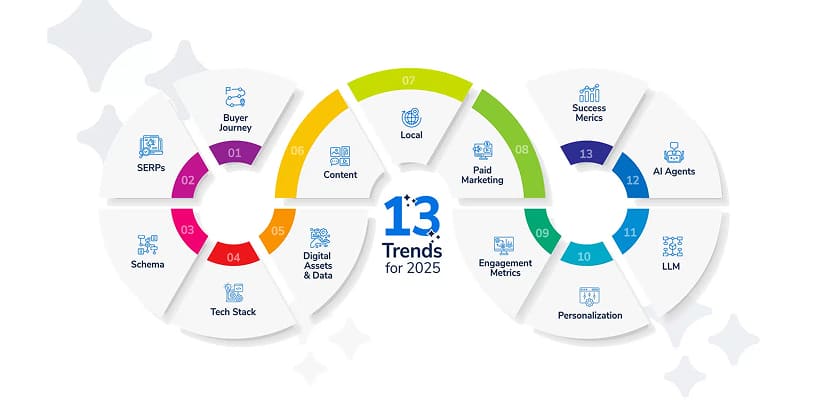
    5. Built-in Material Design and Cupertino Widgets

    Flutter’s pre-built Material Design and Cupertino widgets empower developers to create apps with platform-specific aesthetics. Whether targeting Android or iOS, Flutter delivers native-like interfaces, offering strong competition for native mobile app development services.

    6. Scalable for Large Projects

    Flutter’s architecture and tools are well-suited for scalable applications, making it ideal for large projects. Businesses debating Flutter vs React Native vs Native deep performance comparison often appreciate its ability to handle complex requirements while maintaining excellent performance.

    7. Hot Reload for Rapid Iterations

    Flutter offers an extensive library of widgets to create visually appealing, responsive UIs. These widgets adapt seamlessly to both iOS and Android platforms, ensuring user-friendly experiences. For businesses seeking native mobile app development services, Flutter’s widgets bring creativity and consistency to app designs.

    8. Hot Reload for Rapid Iterations

    Flutter’s unique architecture ensures that applications look and perform identically across devices. This consistency is a significant advantage in the React Native vs Flutter debate, simplifying testing and ensuring user satisfaction.

    How Cross-platform Development Works Using Flutter?

    How Cross-platform Development Works Using React Native_-min
    Flutter leverages a custom rendering engine to create widgets, bypassing platform-specific constraints and ensuring consistent performance across iOS and Android. This unique approach allows developers to craft visually rich and responsive interfaces efficiently. For businesses comparing new React Native vs Flutter, Flutter’s engine delivers superior flexibility and customization.
    While many rely on a React Native app development company or explore React Native development services, Flutter’s consistent UI capabilities stand out in the React Native vs Flutter debate. When evaluating Native vs Flutter, Flutter excels in delivering seamless cross-platform experiences, making it a compelling choice for Flutter or React comparisons.

    Real-World Uses of Flutter

    Real-World Uses of Flutter-min
    Here are some of the top market players who are leveraging Flutter to transform their UI capabilities.

    • Google Ads: A seamless and feature-rich interface.
    • Alibaba: Smooth cross-platform shopping experience.
    • BMW: Dynamic, high-performance apps.
    • eBay Motors: Customized, user-centric solutions.

    Advantages of Using Flutter

    Advantages of Using Flutter-min
    Flutter’s growing popularity stems from its ability to deliver efficient and visually stunning cross-platform applications. For businesses exploring React Native vs Flutter, Flutter’s unique features and performance capabilities make it a strong contender. Whether choosing Flutter or React or comparing native development vs Flutter, Flutter offers compelling benefits. Let us examine its key advantages.

    1. High-Performance Rendering

    Flutter’s use of the Skia Graphics Engine ensures smooth and fast rendering, making it ideal for visually demanding applications. This performance edge often highlights Flutter in the React Native vs Flutter, which is better discussion.

    2. Active Community and Google Support<

    Flutter benefits from active community contributions and Google’s ongoing support, ensuring frequent updates and innovative features. This strong backing strengthens its position in the React Native vs Flutter comparison.

    3.Rapid Development with Hot Reload

    Flutter’s hot reload feature enhances productivity by allowing developers to view changes instantly. This speeds up the development process, offering an advantage over traditional approaches and complementing React Native development services.

    4. Single Codebase with High Consistency

    By using a single codebase for multiple platforms, Flutter reduces development effort and ensures consistent UI and performance. This is a major benefit compared to native development vs Flutter for cost and time efficiency.

    5. Seamless Animations and Transitions

    Flutter’s powerful animation libraries allow developers to create seamless transitions and dynamic effects. These features make apps more engaging, offering a standout user experience in the React Native vs Flutter debate.

    6. Built-In Support for Advanced UI Designs

    Flutter’s rich widget catalog and Material Design/Cupertino widgets enable developers to craft advanced, platform-specific designs effortlessly. This positions Flutter as a flexible option in the Flutter or React debate.Flutter’s advantages make it a powerful tool for businesses aiming to create high-quality, scalable apps efficiently.

    Disadvantages of Using Flutter

    Disadvantages of Using Flutter-min
    To make an informed decision on which is better in the React Native vs Flutter debate, you must also be aware of the potential drawbacks of Flutter. Here are some of them:

    • Steeper learning curve for Dart.
    • Larger app size compared to native development.
    • Fewer libraries and plugins than React Native.

    Which has better UI capabilities—React Native or Flutter?

    Which has better UI Capabilities- React Native or Flutter_-min
    When it comes to React Native vs Flutter in terms of UI, the best choice depends on your project priorities. React Native, known for its ability to leverage native components, is ideal for projects requiring a close-to-native experience and faster development. Businesses often rely on React Native app development services to maximize their native-like functionality.
    Flutter, on the other hand, stands out with its rich widget ecosystem, seamless animations, and unmatched customization options, making it perfect for apps with highly customized and visually appealing designs.

    Final words

    This is everything you must know about React Native vs Flutter to decide which framework fits right for you.

    Choosing between Flutter or React Native depends on your project’s requirements, target audience, and developer expertise. Both frameworks offer robust solutions for cross-platform development, but their strengths lie in different areas. If your focus is on delivering a native-like experience quickly, React Native is a strong contender. For visually intensive apps requiring intricate UIs, Flutter might be the better option.

    For expert guidance tailored to your unique requirements, connect with our specialists at MoreYeahs. Let us help you decide the best approach to transform your business with native mobile app development services that truly stand out.

    Frequently Asked Questions

    What is the difference between React Native and Flutter?
    React Native uses JavaScript and relies on native components; Flutter uses Dart and draws UI components from its engine.
    Which is easier to learn: React Native or Flutter?
    React Native may be easier for those familiar with JavaScript; Flutter has a steeper learning curve due to Dart and widgets.
    Which framework is better for performance: React Native or Flutter?
    Flutter generally offers better performance with its native compilation and custom rendering engine, while React Native depends on a bridge for communication.
    Can React Native and Flutter build apps for both iOS and Android?
    Yes, both React Native and Flutter support building cross-platform applications for iOS and Android using a single codebase.
    Which is more popular: React Native or Flutter?
    React Native has broader adoption due to its earlier release, but Flutter is rapidly gaining popularity with strong community support.